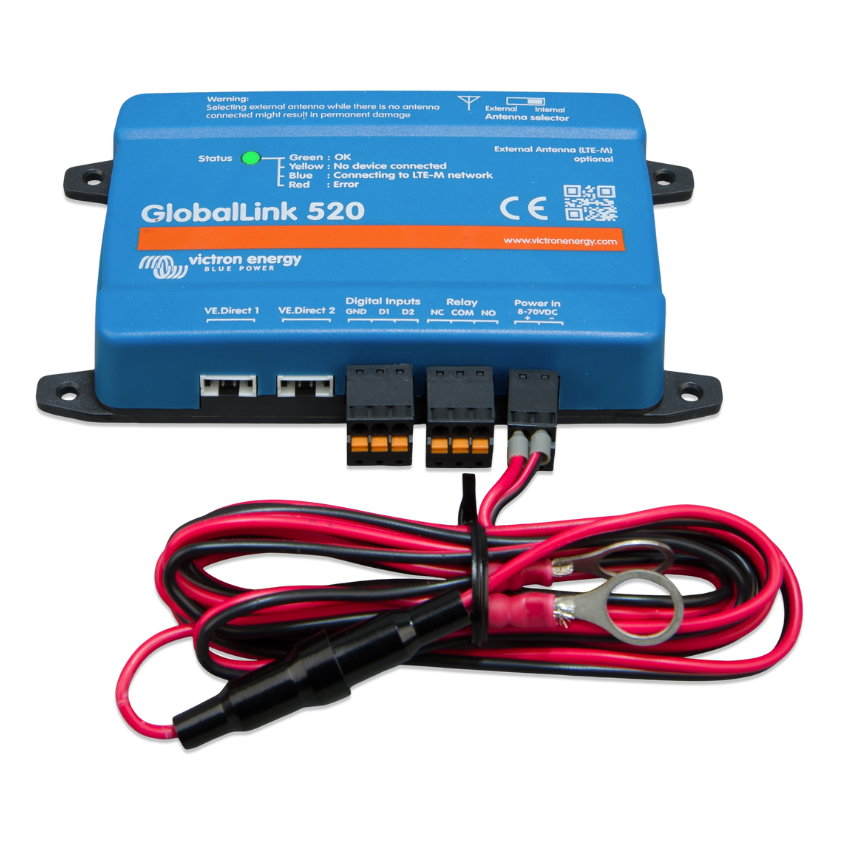

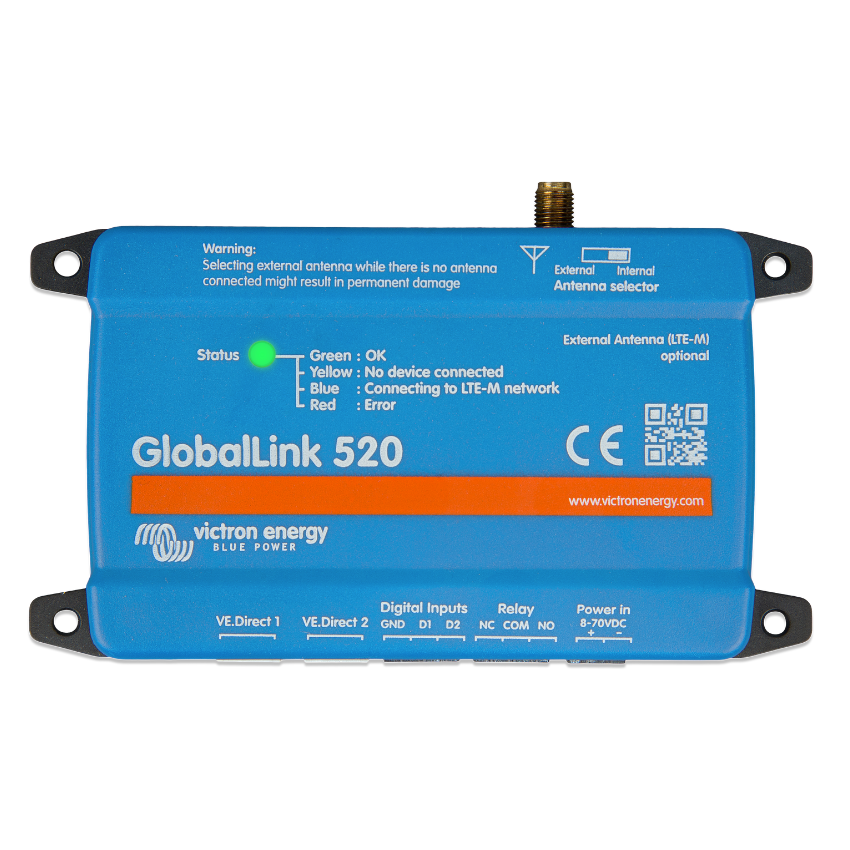
Victron Energy GlobalLink 520 4G LTE-M Wireless Data Communication
$216.75
In Stock
System Guidance Before You Buy
Talk to someone who knows Victron. We’ll help you choose the right setup.
Orders Reviewed Before Shipment
Every order is checked for compatibility before it ships.
Real Inventory & Fast Shipping
In-stock items ship from Ventura, CA—most orders go out next business day.
Support Through Installation
We’re here before, during, and after your install—by phone or email.
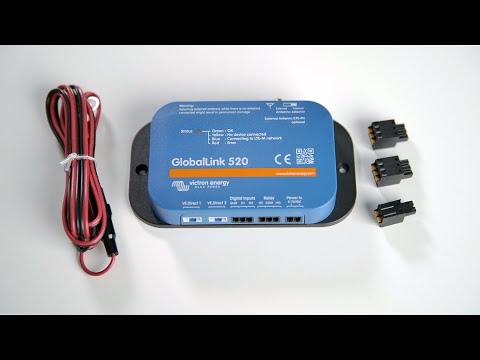
Victron’s GlobalLink uses the 4G LTE-M cellular network to connect your VE.Direct enabled system components to the Victron Remote Management (VRM) portal. When an LTE network is in range, the GlobalLink 520 sends data to your VRM account every 15 minutes, allowing you to check system status and historical data such as battery voltage and state of charge.
The GlobalLink 520 comes with a prepaid SIM card with enough data to transmit for at least five years without additional subscriptions or fees.
The GlobalLink 520 has two VE.Direct ports and can accept up to two VE.Direct devices. Here is a list of the compatible VE.Direct products:
BMV Battery Monitor 700 series
BMV Battery Monitor 710 & 712 Smart
Multi RS Solar & Inverter RS Smart Solar
MPPT RS
Phoenix Inverter VE.Direct
Phoenix Smart IP43 Chargers
SmartShunt
SmartSolar MPPT
BlueSolar MPPT with VE.Direct Port
Here is a list of Victron devices with a VE. Direct ports that are NOT compatible with the GlobalLink 520:
Peak Power Pack
Cerbo GX
GlobalLink 520 FAQ
Will the GlobalLink store data and send it out later when the gateway is in range?
No.
Can the firmware of the GlobalLink be updated?
Yes, it will automatically update. It is not possible to do a manual update.
How can I connect multiple VE.Direct devices to the GlobalLink?
You can connect up to two VE.Direct devices.
Can the GlobalLink share a VE.Direct port with another device?
No.
Can the GlobalLink be used to switch the load output of an MPPT remotely?
No.
Can the GlobalLink update the BMV, MPPT, or Inverter firmware remotely?
No.
Can the GlobalLink remotely change the BMV, MPPT, or Inverter configuration?
No.
Can the GlobalLink perform any other actions remotely?
Yes, you can switch the onboard relay switch from VRM.
Can I use the GlobalLink with a GX device, e.g., Cerbo GX?
No, using a GlobalLink with a GX device is not possible. The GlobalLink is used instead of a GX device to connect one or two supported VE.Direct devices directly to the VRM via the built-in LTE-M connection. Data is sent directly to the VRM portal; no GX device is required. To connect your Cerbo GX to a 4G network, use the GX LTE 4G instead.
Can I use my own SIM card?
Yes. Make sure your operator supports LTE-M (Cat M1).
Can I use the SIM card for other devices?
No, the SIM card is locked, has a strict data limit, and will not work on other devices.
Can I perform a factory reset?
No. You can, however, delete the corresponding installation in VRM, removing all historical data.
Does the GlobalLink have GPS?
No.
Does the GlobalLink have WiFi connectivity?
No.
What happens after the 5th year? Do I have to buy a new device?
If 4G LTE-M networks are still operational, you could insert a new SIM card.
Does the GlobalLink support NB-IoT networks?
No.
Related products
-
 BMS300200200
Victron Energy VE.Bus BMS V2 Battery Management System
$156.40In Stock
-
BPP900465070
Victron Energy Wall Mount For GX Touch 70
$20.40In Stock
-
LYN060102000
Victron Energy Lynx Distributor M8 Busbar
$201.45Unavailable
-
SHU050150050
Victron Energy SmartShunt 500A 50mV Battery Shunt
$100.30In Stock